
Running a small business today often means wearing five different hats before lunch. You’re the marketer, designer, social media manager, content creator, and sometimes even the photographer.
That’s exactly why AI-powered design tools have become so popular.
But here’s the challenge: when it comes to creating marketing graphics, social media content, product images, presentations, and brand assets, many business owners find themselves deciding between two major contenders: Canva Magic Studio and Adobe Photoshop AI.
At first glance, the choice seems obvious. Canva is known for simplicity, while Photoshop has long been considered the professional standard. But AI has changed the landscape. Canva now includes an extensive suite of AI-powered design features, while Photoshop has integrated advanced generative AI tools such as Generative Fill, Generate Image, and Generative Expand directly into its workflow. [helpx.adobe.com], [adobe.com]
So which platform actually delivers the most value for small businesses?
In this detailed comparison, we’ll break down features, ease of use, pricing considerations, workflow efficiency, AI capabilities, strengths, weaknesses, and real-world business applications to help you make a confident decision.
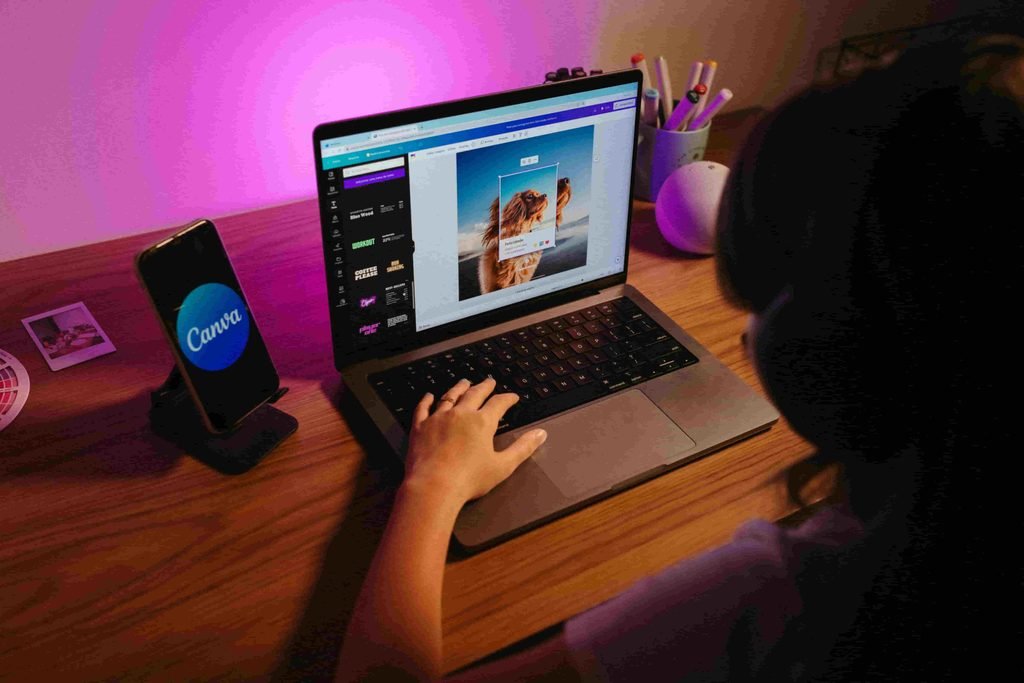
Quick Summary: Canva Magic Studio vs Photoshop AI
Key Takeaways
Choose Canva Magic Studio if:
- You have little or no design experience.
- You create social media content regularly.
- You need speed and simplicity.
- You want an all-in-one marketing design solution.
- You work with a small team.
Choose Photoshop AI if:
- You need professional image editing.
- Product photography is important.
- You require maximum creative control.
- You produce high-end commercial visuals.
- You already use Adobe Creative Cloud.
Overall Winner for Most Small Businesses: Canva Magic Studio
Winner for Professional Design & Photo Editing: Photoshop AI
Understanding the Core Concept
The Rise of AI-Powered Creative Tools
Just a few years ago, creating professional marketing materials often required either hiring a designer or mastering complex software.
AI has significantly lowered that barrier.
Today, modern creative platforms can:
- Generate images from text prompts
- Remove backgrounds automatically
- Resize content instantly
- Create marketing copy
- Edit photos intelligently
- Produce branded designs within minutes
For small businesses, that’s a substantial productivity advantage.
Instead of spending hours creating content, business owners can focus on growth, customer relationships, and sales.
What Is Canva Magic Studio?
Canva Magic Studio is Canva’s integrated AI ecosystem designed primarily for non-designers. According to Canva, the platform combines AI-powered tools for image generation, copywriting, editing, design creation, video production, and content transformation inside a single workspace. [g2.com], [canva.com]
Some of its standout features include:
- Magic Design
- Magic Write
- Magic Media
- Magic Edit
- Magic Expand
- Magic Switch
- Dream Lab
- Magic Eraser
The biggest advantage?
Everything happens inside Canva’s beginner-friendly environment. Users don’t need advanced design knowledge to create professional-looking content. Canva specifically positions these tools for users without complex design skills. [g2.com]
What Is Photoshop AI?
Photoshop AI refers to Adobe’s generative AI capabilities built into Photoshop and powered by Adobe Firefly.
Adobe has expanded Photoshop with features such as:
- Generate Image
- Generative Fill
- Generative Expand
- Generate Background
- Generative Upscale
- Generate Similar
- Harmonize [helpx.adobe.com], [adobe.com]
Unlike Canva, Photoshop remains a professional image-editing application first and an AI platform second.
Think of Canva as a smart marketing assistant.
Think of Photoshop AI as an expert designer equipped with AI-powered tools.
That distinction matters more than many business owners realize.
Key Benefits & Drivers
Why Small Businesses Love Canva Magic Studio
1. Faster Content Production
Time is often the most limited resource in a small business.
Canva allows users to create:
- Social posts
- Ad creatives
- Flyers
- Presentations
- YouTube thumbnails
- Email graphics
without switching platforms.
The integrated workflow dramatically reduces production time.
2. Minimal Learning Curve
One of Canva’s biggest advantages is accessibility.
Most users can begin producing content within an hour.
In contrast, Photoshop often requires days or weeks before users feel fully comfortable navigating its professional interface.
3. Built-In Marketing Ecosystem
Canva isn’t just a design tool.
It includes:
- Templates
- Brand Kits
- Team collaboration
- Content resizing
- Presentation tools
- AI copy generation
Magic Studio combines many of these capabilities under one AI-driven workflow. [g2.com], [canva.com]
For a busy entrepreneur, convenience matters.
Why Businesses Choose Photoshop AI
1. Superior Image Editing
Photoshop’s AI tools are integrated into one of the world’s most powerful photo editors.
For businesses working with:
- Product photography
- Ecommerce images
- Professional branding
- Advertising campaigns
Photoshop offers unmatched precision.
2. Better AI-Assisted Retouching
Generative Fill can seamlessly add, replace, or remove objects using natural language prompts. Adobe also supports Generative Expand, Generate Similar, and image generation capabilities directly within Photoshop. [helpx.adobe.com], [adobe.com]
For example, a product photo with an unwanted object can often be corrected in seconds.
3. Greater Creative Control
Canva emphasizes simplicity.
Photoshop emphasizes control.
Professional designers can fine-tune nearly every aspect of an image, making Photoshop the preferred tool for complex visual projects.
Real-World Small Business Example
Imagine you own an online clothing store.
Using Canva:
- Create Instagram posts
- Design promotional banners
- Build email graphics
- Produce product launch presentations
Using Photoshop AI:
- Remove wrinkles from product photos
- Replace backgrounds
- Enhance lighting
- Create polished advertising imagery
The reality is that many businesses benefit from both tools.
The question is which should be your primary platform.
Step-by-Step Guide: How to Choose the Right Tool for Your Business
Choosing between Canva Magic Studio and Photoshop AI becomes easier when you evaluate your specific needs.
Step 1: Assess Your Design Experience
Ask yourself:
Are you a designer?
If the answer is no, Canva has a significant advantage.
Canva was built for users who want professional results without extensive technical expertise.
Photoshop remains more complex despite its AI enhancements.
Best Choice
✅ Beginners → Canva
✅ Experienced Designers → Photoshop
Step 2: Identify Your Content Type
Different businesses create different assets.
If you mainly create:
- Social posts
- Blog graphics
- Presentations
- Flyers
- Marketing materials
Choose Canva Magic Studio.
If you mainly create:
- Product photography
- Advertising imagery
- Catalog photos
- High-end visual branding
Choose Photoshop AI.
The closer your work is to photography, the stronger Photoshop becomes.
Step 3: Evaluate Collaboration Needs
Small teams often need multiple people working together.
Canva excels in collaborative environments.
Team members can:
- Leave comments
- Share templates
- Access brand assets
- Edit projects simultaneously
This makes Canva especially useful for agencies and growing businesses.
Step 4: Consider Workflow Efficiency
One overlooked factor is workflow friction.
A good question to ask is:
How many steps does it take to go from idea to published content?
In Canva, a single session can often cover:
- AI-generated image
- Copywriting
- Layout creation
- Branding
- Exporting
Photoshop focuses primarily on image creation and editing rather than complete marketing workflows.
Step 5: Test AI Features Directly
Before committing, create the same project in both platforms.
Try:
Canva
- Magic Design
- Magic Media
- Magic Edit
- Dream Lab
- Magic Write
Photoshop
- Generate Image
- Generative Fill
- Generative Expand
- Harmonize
- Generate Background
Adobe states these tools can create, remove, replace, expand, and enhance image elements using natural language prompts. [helpx.adobe.com], [adobe.com]
Comparing results on your actual business assets is often more valuable than reading reviews.
Step 6: Match the Tool to Your Growth Stage
New Business
Focus on speed and simplicity.
Winner: Canva
Growing Business
Balance branding and efficiency.
Winner: Canva
Design-Focused Brand
Prioritize image quality and creative precision.
Winner: Photoshop
Agency-Level Creative Work
Need comprehensive editing power.
Winner: Photoshop
Common Challenges and How to Solve Them
Neither platform is perfect.
Understanding their weaknesses helps avoid frustration.
Challenge 1: Canva Designs Can Look Similar
Many businesses rely heavily on templates.
As a result, content may start looking repetitive.
Solution
Customize:
- Colors
- Typography
- Layouts
- Visual styles
- Brand elements
Treat templates as starting points, not finished designs.
Challenge 2: Photoshop Feels Overwhelming
Photoshop’s flexibility comes with complexity.
New users frequently become frustrated by:
- Layers
- Masks
- Selection tools
- Advanced workflows
Solution
Focus only on essential AI features initially.
Start with:
- Generative Fill
- Remove tools
- Background replacement
Master these before exploring advanced workflows.
Challenge 3: AI Content Still Needs Human Judgment
Neither platform magically produces perfect results every time.
AI-generated images occasionally include:
- Unrealistic details
- Odd compositions
- Branding inconsistencies
Solution
Use AI as a first draft generator.
Always review, edit, and refine outputs before publishing.
Challenge 4: Brand Consistency
Many businesses struggle to maintain a consistent visual identity.
This becomes more noticeable when multiple team members create content.
Solution
Create clear brand guidelines:
- Fonts
- Colors
- Logo placement
- Image styles
- Voice and tone
Canva’s Brand Kit features can be particularly helpful for this purpose.
Challenge 5: Cost vs Usage
Some companies pay for advanced software they rarely fully utilize.
Solution
Be honest about actual needs.
If you’re producing three Instagram posts a week, Photoshop may be excessive.
If you’re managing thousands of product images, Canva may be limiting.
The best value often comes from selecting the tool that aligns with your daily workflow.
Conclusion & Next Steps
The Canva Magic Studio versus Photoshop AI debate isn’t really about which platform is objectively better.
It’s about which platform is better for your business.
If you’re a small business owner, marketer, coach, blogger, freelancer, or startup founder looking to create content quickly, Canva Magic Studio is likely the stronger choice. Its AI-powered design ecosystem, template library, collaboration tools, and beginner-friendly workflows make it incredibly practical for everyday marketing tasks. Canva’s AI suite includes tools for design generation, image editing, copy creation, content transformation, and conversational design workflows. [g2.com], [canva.com], [canva.com]
However, if your business depends heavily on professional photography, detailed retouching, advanced compositing, or high-end advertising visuals, Photoshop AI remains the gold standard. Adobe’s AI-powered features such as Generative Fill, Generate Image, Generative Expand, and Generative Upscale provide a level of precision that few competitors can match. [helpx.adobe.com], [adobe.com]
Final Verdict
For most small businesses: Canva Magic Studio wins.
Not because it’s more powerful.
Not because its AI is necessarily smarter.
But because it solves the biggest problem small businesses face: creating professional content quickly without needing professional design skills.
Your Next Step
Before investing heavily in either platform, create one week’s worth of marketing content in Canva Magic Studio and one in Photoshop AI. Track the time, effort, and quality of results.
The winning tool isn’t the one with the longest feature list.
It’s the one that helps your business create better content consistently, efficiently, and without slowing you down.